Temporary tablespaces autoextend to satisfy large sorts, hash joins, and global temporary tables. Runaway growth often signals a bad plan or a missing index and can consume the underlying filesystem. Required permissions: GRANT SELECT ON CDB_TEMP_FILES TO redgate_monitor_user CONTAINER=ALL; These are covered by Redgate Monitor’s standard Oracle monitoring user — if it was set up […] Read more
Sustained high CPU starves every session on the instance and is a leading indicator of run-away queries or under-sized hardware. This type of monitoring can create white noise in a CPU busy system — only use if the database has been appropriately sized and CPU > 90 is an anomaly that must be addressed. Required […] Read more
Oracle automatically resolves deadlocks by rolling back one statement and writing ORA-00060 to the alert log. Because the database recovers on its own, deadlocks are easy to miss — yet a rising deadlock rate points to an application locking-order problem. Required permissions: GRANT SELECT ON V_$DIAG_ALERT_EXT TO redgate_monitor_user CONTAINER=ALL; GRANT SELECT ON V_$CONTAINERS TO redgate_monitor_user […] Read more
A blocked session is one waiting on a lock held by another session. A few brief blocks are normal; sustained or growing blocking indicates a contention problem or a long-running transaction that is holding locks. Required permissions: GRANT SELECT ON V_$SESSION TO redgate_monitor_user CONTAINER=ALL; GRANT SELECT ON V_$CONTAINERS TO redgate_monitor_user CONTAINER=ALL; These are covered by […] Read more
Measures the total duration of latch waits on the tempdb database, in a one-minute time interval. First, create and start for the following Extended Events session on the monitored SQL Server instance: [crayon-6adfdeca847f1894006281/] The goal is to get the total duration of latch waits, in the last minute, so this session collects all the event […] Read more
SQL Agent can be configure to notify an operator when a job fails. While failed jobs also surface in the monitoring, proactive notification often allows for a quicker response. Read more
This custom metric measures the total database file size (data files and log file combined). An increase in this metric signals that a database was grown. When not done by the DBA, this is an autogrow. Excessive autogrow events should be prevented as this can result to file fragmentation. Try to manually grow files before […] Read more
This metric will display the total number of active backups and restores on a server. This can be used to correlate with other metrics to explain why disk IO and CPU usage could have changed. Read more
This metric will display the percentage of queries on the server that are ad-hoc queries. A high percentage of ad-hoc queries can indicate that an application is running queries that are not properly parameterized. Read more
What are custom metrics?
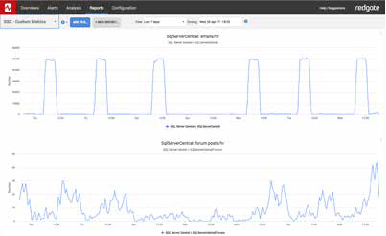
The Redgate Monitor custom metric feature lets you run SQL queries against your databases to collect specific data. You can analyze and receive alerts about your custom data just like everything else Redgate Monitor collects.
But what if you don’t want to write your own queries? No problem. Redgate has brought together a range of quality custom metrics for you to use in Redgate Monitor, which are all are free, tried and tested. You can install straight away, and use the resources on this site to help you write your own.
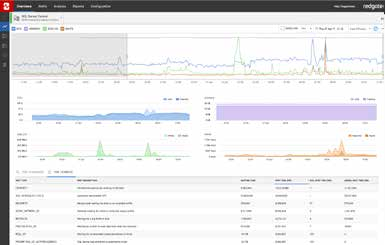
Redgate Monitor is a database performance monitoring tool that gives you real-time and historical performance data with alerts and diagnostics.
With its embedded expertise from database experts and MVPs, it gives you the information and advice you need to find and fix issues before users are even aware.
This custom metric measures the total database file size (data files and log file combined). An increase in this metric signals that a database was grown. When not done by the DBA, this is an autogrow. Excessive autogrow events should be prevented as this can result to file fragmentation. Try to manually grow files before […] Read more
This metric will display the total number of active backups and restores on a server. This can be used to correlate with other metrics to explain why disk IO and CPU usage could have changed. Read more
 5,269
0
5,269
0